What Are Fake QR Codes and How to Spot Them?
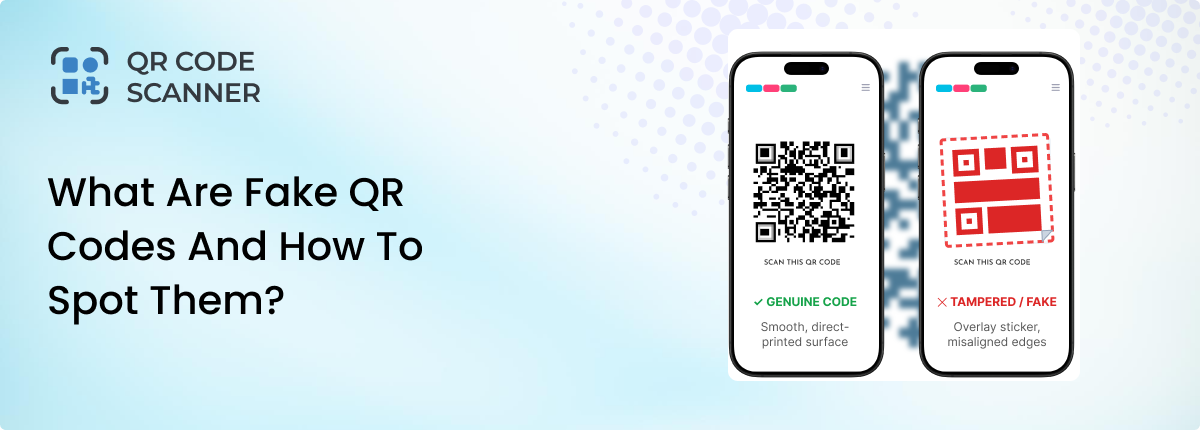
Millions of QR codes are being scanned daily. They are used to open a menu, make a payment, or visit a website. This makes it easy to view menus, connect to Wi-Fi, access tickets, or make payments with a phone.
But scammers can use Fake QR codes to hide malicious links and trick people into visiting fake websites, sharing sensitive information, or downloading unwanted software. They can also steal your money, passwords, or personal details.
This blog post will guide you on what fake QR codes are and how to spot them.
What Are Fake QR Codes?
QR Code is a machine-readable code that can encode different types of information, including text and URLs. DENSO WAVE developed QR code technology, and it is standardized for use across many applications.
A “fake QR code” is not a visually different type of QR code. The danger usually comes from the data encoded in the code or the destination it points to.
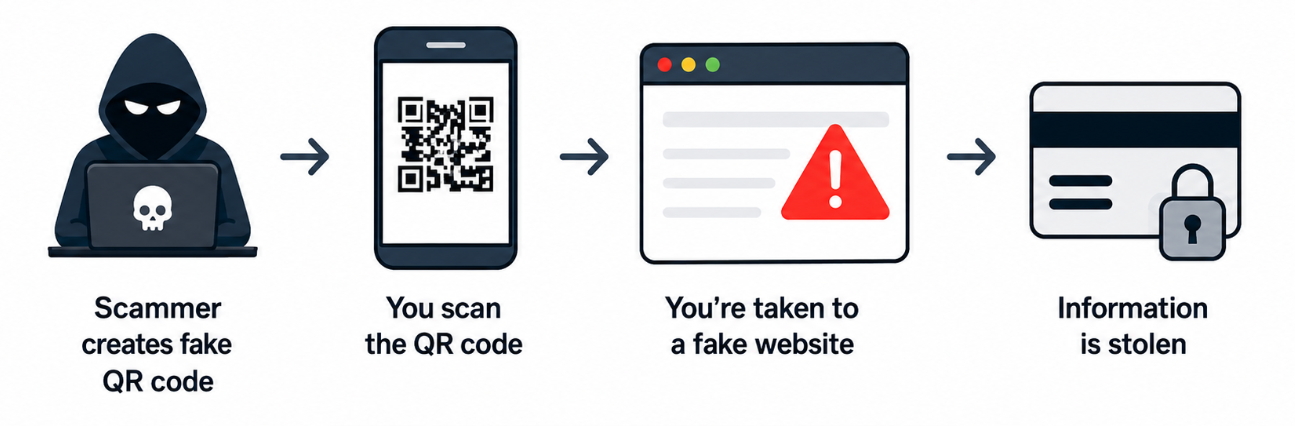
A normal QR code can open a website or perform another action on your phone. However, a fake QR code may send you to a harmful website or compromise your personal information.
Scammers can also send fake QR codes through:
- Emails
- Text messages
- Flyers
- Posters
- Social media
- Fake advertisements
Fake QR code usually refers to a QR code that has been created, altered, or replaced to direct people somewhere they should not go. These scams are often called QR phishing or quishing.
What Is Quishing?
Quishing means phishing through a QR code. In a normal phishing scam, a scammer sends you a harmful link. They may send it through an email or text.
With quishing, the scammer hides the link inside a QR code. People scan the code and usually get directed to a spammy link. That link can be to a fake website or a form asking for information. If a user fills out that form, all the entered information goes directly to the scammer.
The QR code itself does not have to look suspicious. The problem is where it sends you. A typical quishing attack can look like this:
Scammer Creates QR Code → Victim Scans it → URL Opens → Fake Website Appears → Victim Enters Information → Scammer Receives it
That is why you should always check where a QR code sends you. An easy way to check is to scan the code via our online QR scanner.
When you scan the QR code online using our tool, it first shows you the information/URL inside the code. By inspecting that URL, you can identify whether the QR code is safe or not.
Common Types of Fake QR Code Scams
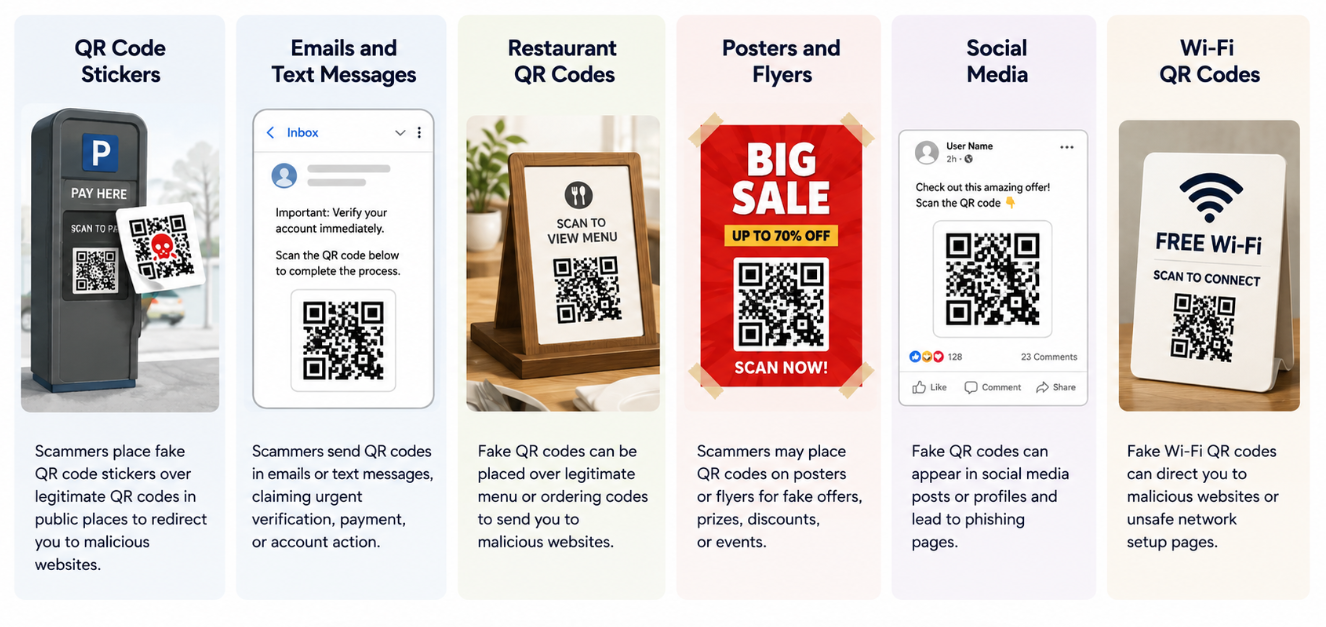
Scammers use fake QR codes in many ways. The surrounding message or physical location is often as important as the code itself. Here are some common scams.
QR Code Stickers
The use of fake QR code stickers is a common method that scammers use. In such scams, they print a fake QR code on a sticker and paste it over a real QR code. These codes usually have a duplicate design like the real one and are difficult to identify with a human eye.
For example, this can happen at a parking meter. You scan the code to pay for parking. However, the fake code sends you to the scammer’s payment page.
Emails and Text Messages
Scammers can also send QR codes through emails and text messages. They may pretend to be:
- Your bank
- Delivery company
- Government office
- Streaming service
- Tech company
The message may say there is a problem with your account. It may ask you to scan the QR code right away.
Do not rush to scan such QR codes. Instead, visit the company’s official website yourself.
Restaurant QR Codes
The use of QR codes in restaurants is very common. They are being used for making instant payments, making menus accessible, and connecting to a WiFi network. Scammers somehow manage to replace QR codes inside the restaurants. And when a person scans them, they get directed to a harmful website. So, when scanning a QR code inside a restaurant, be careful. If something looks strange, ask a staff member.
QR Codes on Posters and Flyers
Scammers can add fake QR codes to posters and flyers. These may promote:
- Events
- Discounts
- Jobs
- Prize money
- Investment opportunities
The offer may look attractive. However, the QR code may lead to a scam website.
QR Codes on Social Media
Scammers may post QR codes on social media. They may promise:
- Free gifts
- Discounts
- Prize money
- Special offers
Do not trust an offer just because it appears on social media.
Wi-Fi QR Codes
You may see a QR code that promises free Wi-Fi. The code may send you to a fake website. It may ask for personal details or other information. Use trusted networks when possible.
Can You Tell if a QR Code Is Fake Just by Looking at It?
No, you usually cannot determine whether a QR code is trustworthy just by looking at its visual pattern. In design, they are exact copies of the original codes. No one knows what’s inside the code and where it leads without scanning it.
That is why you should not trust a QR code based only on its appearance. Instead, check:
- Where the QR code came from.
- Whether someone changed or covered it.
- Where the QR code sends you.
- Whether the website looks real.
The destination matters more than the QR code’s appearance.
How to Spot a Fake QR Code?
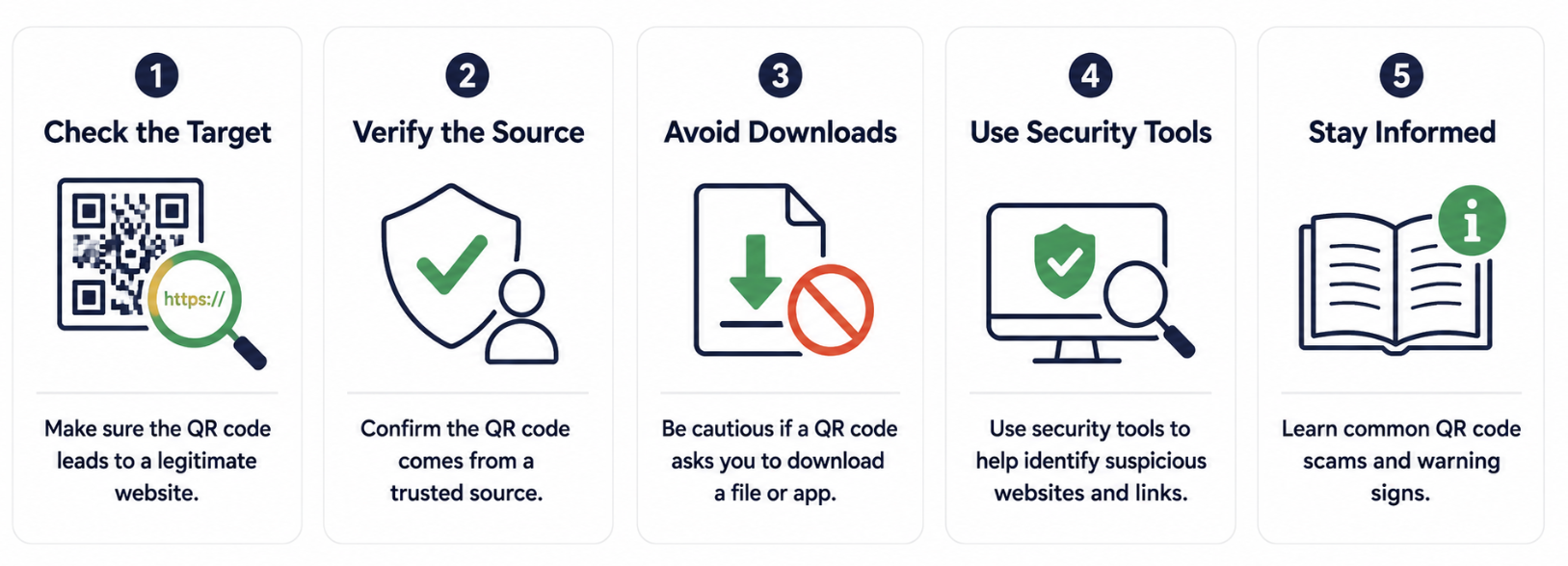
You cannot always spot a fake QR code by looking at it. However, you can check several things before you trust it:
1. Look for Physical Tampering
Start by checking whether the QR code you are about to scan has been tampered with. This is important, especially if the QR code is placed in a random public place. Look closely at the QR code and check:
- Does it look like a sticker?
- Is it placed over another code?
- Does the paper appear damaged?
- Can you see another QR code under it?
- Does it look uneven or misaligned?
If you found anything suspicious, leave the QR code unscanned.
2. Verify the Source
Ask where the QR code came from. Do you trust the source? Is the email address familiar to you?
If you trust the source, proceed. However, if the source is completely unknown and asking for personal or financial information, avoid scanning.
For example, if an email pretends to be from a financial institution and asks to reset your password or update your app by scanning a QR code, look at the email address carefully. If it’s new or unknown, it’s better to call the institution's helpline rather than scanning the code.
3. Preview the Encoded URL or Website Address
Look closely at the domain name. Scammers often use website addresses that look similar to real ones. For example, a fake website may use:
- Misspelled words
- Extra letters
- Extra words
- Strange domains
- Random letters and numbers
A small spelling change can lead you to a fake website.
4. Careful With Redirects and Shortened URLs
A QR code may not point directly to the final website. It may first send you through a tracking or redirect service. This does not automatically mean the URL is malicious, but it makes the destination harder to judge from the QR code alone.
If you cannot determine where a link will take you, don't continue.
4. Urgent Messages
Scammers often want you to act fast. A message may say:
- Scan now
- Act now
- Your account will close
- Your payment failed
- Take action immediately
Do not let urgency pressure you. Stop and check the message first.
5. Request Makes Sense
Think about the situation. For example:
- Why would a restaurant menu ask for your bank password?
- Why would a poster ask for your card details?
If something does not make sense, do not continue.
How to Protect Yourself From Fake QR Code Scams?
Here are some quick tips that protect you from fake QR code scams.
Inspect Physical Codes: If scanning a QR code in a public place, look for signs of tampering. Check if the code is covered with extra paper or a sticker is pasted over the page.
- Verify the Sources: Before scanning a QR code, think about the source from which it came. If the source is unknown, avoid scanning.
- Preview Before Opening: Use a reliable online QR code scanner like our's (qr-code-scanner.io), to view the encoded URL before opening it.
- Verify the Domain or URLs: After scanning, do not open any link inside the QR code. Read the link carefully and look for spelling mistakes. If the domain name has a spelling error and is suspicious, avoid opening the link.
- Avoid Unexpected Downloads: If a QR code asks you to grant download and install permissions for an APK or unknown files, avoid it. Such an installation can inject malware into your device and steal your information.
- Keep Your Device Updated: Keep your phone’s operating system, browser, and applications updated to receive security fixes.
What Should You Do If You Scanned a Fake QR Code?
Scanning a suspicious QR code doesn't automatically mean your device or accounts have been compromised. What you should do depends on what happened next.
1: You Scanned but Did Nothing Else
If you only scanned the code and immediately closed the page:
- Don’t enter any information.
- Don’t download anything.
- Don’t grant unexpected permissions.
- Close the suspicious website.
Then you don’t have to worry about that.
2: Entered a Password
If you enter your password for any account after scanning the QR code, change it immediately. Moreover, if you reused that password on other websites, change it there as well, and enable multi-factor authentication if available.
3: Entered Financial Information
If you entered the financial credentials, then contact your bank, card issuer, or payment provider as soon as possible. Review recent transactions and watch for unauthorized activity. Report the incident to the relevant fraud-reporting authority in your country.
4: Downloaded or Installed Something
If you downloaded an unknown application or file after scanning the code, don’t assume it is safe. Review what was installed and what permissions were granted. Also, use your device’s security tools or seek professional help if you suspect malware.
Final Thoughts
Fake QR codes can look just like real ones. That is why you should not trust every QR code you see. Before you scan, check where the code came from. Also, look for signs of tampering and preview the link before opening it.
If something looks strange, do not scan the code unless you are sure about its safety. A few seconds of care can help protect your money, personal information, and online accounts.
Related Blogs

How to Scan QR Code from an Image or Screenshot Online
Discover how to scan a QR codes from image/screenshot online. The step-by-step methods for Android, iPhone, and browser tools to scan QR code from photos instantly.
How to Scan a QR Code on iPhone and iOS?
Learn the different ways to scan a QR code on iPhone/iOS. Also, learn the issues coming on QR scanning and how to fix them.
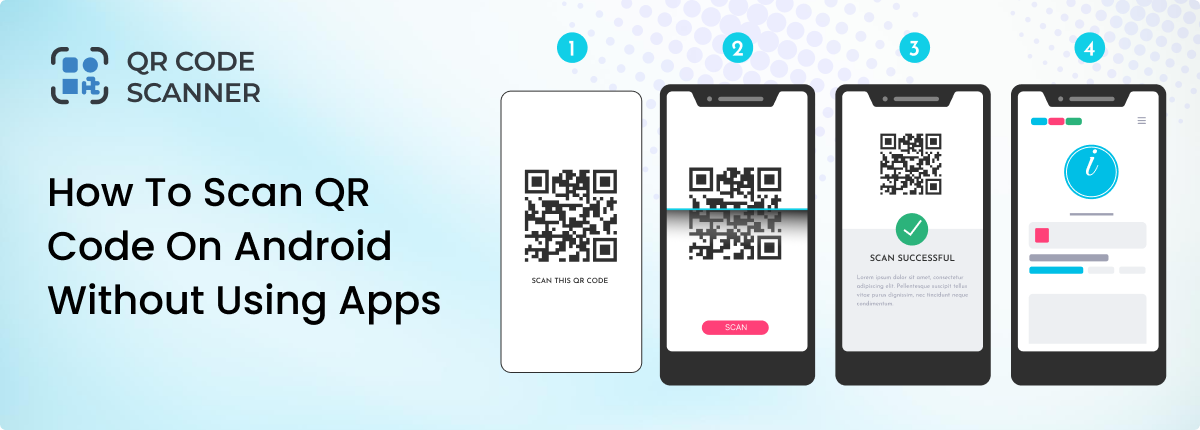
How to Scan QR Code on Android Without Using Apps
Learn how to scan QR code on Android without using apps. Explore different methods to scan QR codes on Android instantly.